Google Translate is the first tool most people think of for translation. But when you need to translate a live conversation — a meeting, a lecture, a church service — the requirements are completely different from pasting text into a box.
The Core Difference
Google Translate translates text you type or paste. It has a conversation mode on mobile, but it requires you to tap a button each time someone speaks, and it works for one language pair at a time.
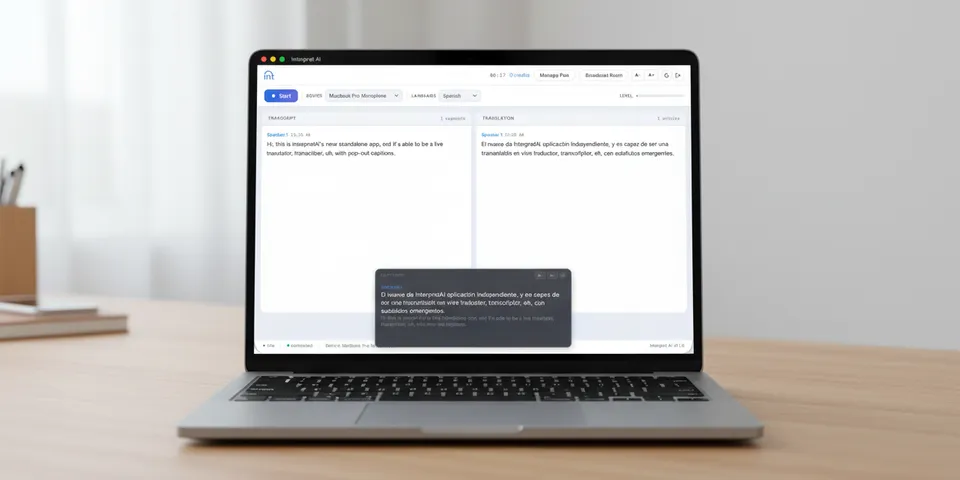
Interpret AI captures live audio continuously, transcribes it in real time with automatic speaker differentiation, and translates into any of 70+ languages simultaneously. No tapping, no pausing, no switching.
Feature Comparison
| Feature | Interpret AI | Google Translate |
|---|---|---|
| Live continuous transcription | Yes | No (tap-to-speak only) |
| Speaker identification | Yes, automatic | No |
| Simultaneous multi-language translation | Yes (70+ at once) | One pair at a time |
| Shareable broadcast link | Yes | No |
| Live translated audio | Yes | Limited (conversation mode) |
| Transcript saved & searchable | Yes | No |
| Word-level timestamps | Yes | No |
| Audio playback with transcript sync | Yes | No |
When Google Translate Is Fine
- Translating a menu, sign, or short text
- Quick one-off phrase lookups
- Reading a foreign-language webpage
When You Need Interpret AI
- Live meetings where multiple people speak and you need a running transcript with speaker labels
- Lectures or presentations where an audience needs real-time translations in multiple languages
- Church services or events with a multilingual audience
- Any situation where you need to go back and review what was said — with audio playback synced to the transcript
The Transcript Editor Advantage
After a conversation ends, Google Translate gives you nothing. Interpret AI saves the full transcript with word-level timestamps. Open it in the transcript editor and click any word to hear exactly how it was said. Edit, translate into more languages, or share it.
Desktop App
Interpret AI also has a standalone desktop app for Mac and Windows. It captures audio from any application on your computer — not just your browser. This means you can transcribe and translate audio from any source: video calls, media players, webinars, or local recordings.