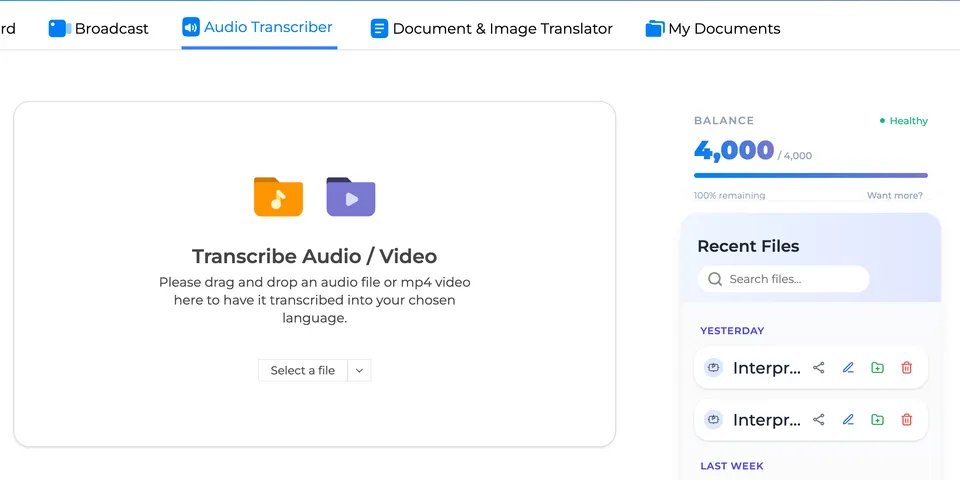
Not everything happens live. Recorded interviews, podcast episodes, lecture recordings, voice memos — they all need transcripts too.
Upload and Transcribe
Go to the File Transcription page on interpretapp.ai and upload your file. Supported formats include:
- Audio: MP3, WAV, WEBM
- Video: MP4, MOV, WEBM
Interpret AI processes the file and returns a full transcript with automatic speaker identification — each speaker is labeled and separated, even in multi-person recordings.
What You Get
Accurate Transcript with Speaker Labels
The AI identifies different voices in the recording and labels them. A podcast interview comes back with “Speaker 1” and “Speaker 2” clearly separated — you can rename them to the actual names.
Word-Level Timestamps
Every word in the transcript is tied to its exact moment in the recording. When you open the transcript in the editor, click any word to jump to that timestamp and hear it. This makes reviewing and correcting transcripts incredibly fast.
Audio Playback Synced to Text
The transcript editor plays back your original audio in sync with the text. As audio plays, the current word is highlighted. Pause, rewind, or click anywhere in the transcript to jump to that point in the recording.
Translate Your Transcript
Once transcribed, you can translate the full transcript into any of 70+ languages. The translation preserves the speaker labels and structure of the original.
This is useful for:
- Content creators who want to publish transcripts in multiple languages
- Researchers who need to analyze interviews conducted in other languages
- Businesses distributing meeting recordings to international teams
Document Translation
Beyond audio/video, you can also paste or upload text documents for translation. The same 70+ language support applies.
Desktop App
The standalone desktop app can also capture audio from any application on your computer. If you’re playing back a recording in any media player, the desktop app can transcribe it in real time — no file upload needed.